How to Protect Your Email Privacy Online in 2026
Your email address is one of the most valuable and vulnerable pieces of personal information you share online. It is used to verify your identity, recover your accounts, receive financial statements, communicate with doctors, and stay connected with family and colleagues. When your email address falls into the wrong hands, the consequences can range from annoying spam to serious identity theft.
In 2026, protecting your email privacy is more important than ever. Cybercriminals, data brokers, advertisers, and even legitimate companies routinely collect, trade, and exploit email addresses without meaningful consent. Every website you sign up for, every form you fill out, and every contest you enter adds your email to another database — and not all of those databases are secure.
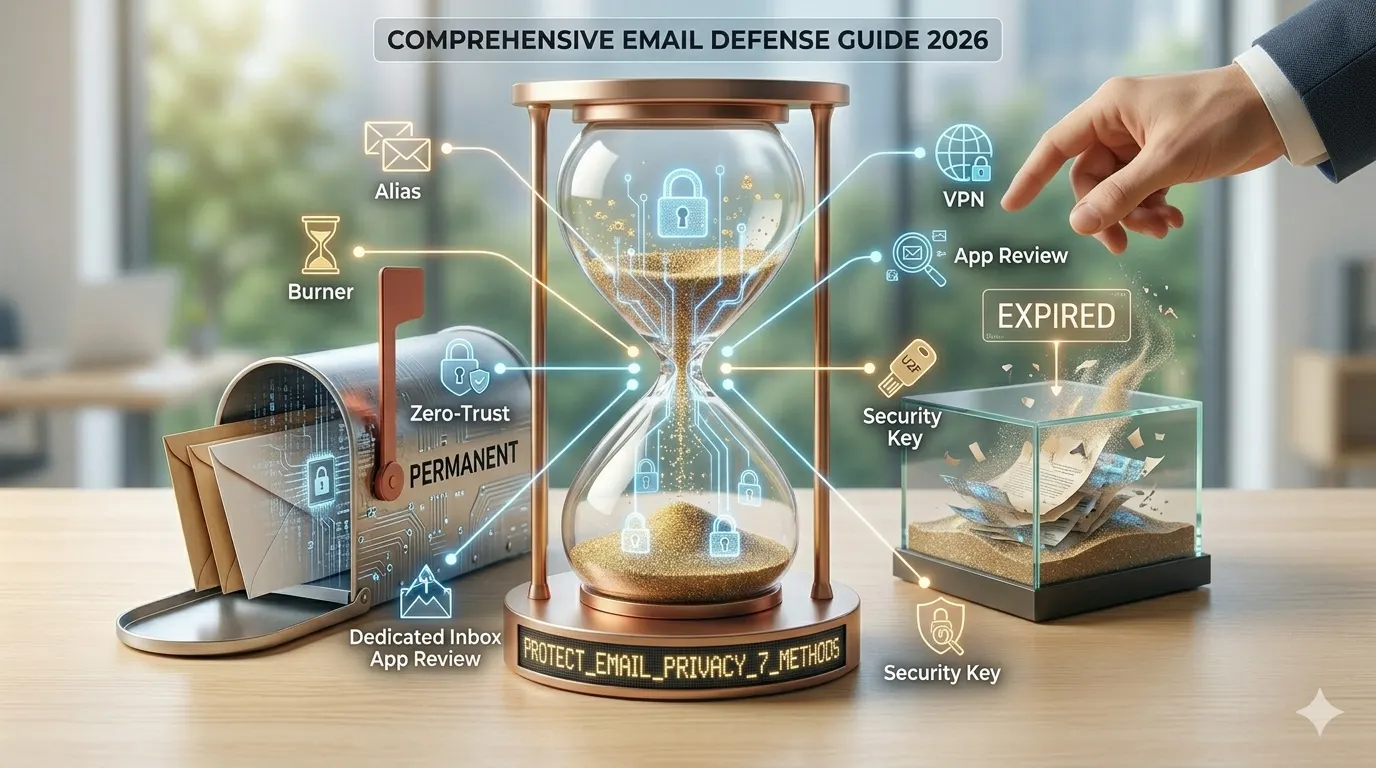
This guide covers 7 proven methods to protect your email privacy online, ranging from simple habits you can adopt today to tools and techniques that provide maximum long-term protection.
Why Email Privacy Matters More Than Ever
Before diving into the methods, it is worth understanding the scale of the problem. According to cybersecurity researchers:
- Over 15 billion email addresses have been exposed in data breaches since 2010
- Spam accounts for more than 45% of all global email traffic
- Phishing emails — which often target specific email addresses — are the leading cause of data breaches in organizations
- Data brokers maintain profiles on billions of people, with email addresses as a primary identifier
Your email address is not just a communication tool — it is a key that unlocks your digital identity. Protecting it should be a priority for anyone who uses the internet regularly.
Method 1 — Use a Temporary Email for Non-Essential Sign-Ups
The most effective single action you can take to protect your email privacy is to stop giving out your real email address to websites you do not fully trust or plan to use long-term.
A temporary email service like Temp Mail Ninja generates a free, anonymous, disposable email address in seconds. Use it for:
- One-time registrations to access content or download files
- Free trial sign-ups for software and services
- Newsletter subscriptions you only want to read once
- Online contests and giveaways
- Forum and community registration
- Any website you are visiting for the first time and are not sure you will return to
By routing all non-essential sign-ups through a disposable email address, you create a complete firewall between your real inbox and the broader internet. Even if a site you signed up for gets hacked, your real email address was never in their database.
Getting started is free and takes under 30 seconds. Visit Temp Mail Ninja, copy the generated email address, and start using it immediately — no registration, no personal information required.
Method 2 — Create Separate Email Addresses for Different Purposes
One email address for everything is a single point of failure. If that address is compromised, leaked, or spammed, your entire digital life is affected. A better approach is to use separate email addresses for different categories of online activity.
Consider maintaining at least three separate email addresses:
- Primary email: For personal communication — friends, family, trusted colleagues. Share this with as few people as possible.
- Services email: For accounts you actually use — streaming services, utilities, software subscriptions. This address will receive some marketing emails, but they will be manageable.
- Disposable email: For everything else — one-time sign-ups, downloads, free trials, contests. Use Temp Mail Ninja for this category.
This layered approach ensures that even if your services email gets spammed heavily, your primary personal email remains clean and professional.
Method 3 — Check if Your Email Has Been Exposed in a Data Breach
Many people discover their email address has been exposed in a data breach only after they start receiving unusual spam or find their accounts compromised. Proactive monitoring lets you take action before the damage is done.
The most widely used tool for checking email exposure is Have I Been Pwned (haveibeenpwned.com), created by security researcher Troy Hunt. Enter your email address and the tool checks it against a database of billions of exposed records from known data breaches.
If your email has been exposed, take the following steps immediately:
- Change the passwords of any accounts associated with that email address
- Enable two-factor authentication on all important accounts
- Check your email account for any unauthorized access or rule changes
- Consider creating a new email address for sensitive accounts
- Use a disposable email going forward for non-essential sign-ups
Have I Been Pwned also offers a free notification service — enter your email address and you will receive an alert whenever it appears in a newly discovered breach.
Method 4 — Use Email Aliases for Long-Term Accounts
For accounts where you need a persistent, real email address but still want to protect your primary inbox, email aliasing is an excellent solution. An email alias is a forwarding address that routes emails to your real inbox while keeping your actual address hidden.
When you use an alias, the website sees randomalias@service.com instead of your real email address. Emails sent to the alias are forwarded to your inbox automatically. If you start receiving spam through a particular alias, you can simply disable that alias — the spam stops, and your real address remains untouched.
Services that offer email aliasing include SimpleLogin, AnonAddy, Apple's Hide My Email, and Firefox Relay. Most offer a free tier with several aliases, with paid plans providing unlimited aliases.
Email aliases and temporary emails serve different purposes: use a temporary email for one-time access where you do not need to receive future emails, and use an alias for accounts where you need ongoing email delivery but want to hide your real address.
Method 5 — Never Click Unsubscribe on Spam Emails
This is counterintuitive advice that surprises many people: clicking the "unsubscribe" link in a spam email can actually make things worse. Here is why.
Legitimate marketing emails from reputable companies do honor unsubscribe requests. However, spam emails from unknown or shady senders use unsubscribe links for a very different purpose: to confirm that your email address is active and monitored by a real person.
When you click unsubscribe on a spam email, you are essentially telling the spammer: "Yes, this email address is real, active, and being read by a human." The result is often an increase in spam, not a decrease, as your address is flagged as verified and sold to other spam networks.
The correct approach to handling spam emails:
- Mark the email as spam in your email client — this trains your spam filter
- Block the sender's address
- Never click any links in the email, including unsubscribe links
- Never open images in suspicious emails (image loading can confirm your address is active)
Method 6 — Enable Two-Factor Authentication on Your Email Account
Even with perfect email hygiene, your email address may eventually be exposed in a third-party data breach. Two-factor authentication (2FA) is your last line of defense — even if an attacker has your email address and password, they cannot access your account without the second factor.
Enable 2FA on your primary email account immediately if you have not already done so. The options, in order of security strength, are:
- Hardware security key (e.g., YubiKey) — most secure
- Authenticator app (e.g., Google Authenticator, Authy) — very secure and recommended for most users
- SMS text message — better than nothing, but vulnerable to SIM-swapping attacks
- Email code — least secure; avoid if possible
Use an authenticator app for the best balance of security and convenience. Most email providers including Gmail, Outlook, and ProtonMail support authenticator app 2FA.
Method 7 — Be Selective About Where You Share Your Email
The most underrated email privacy strategy is simply being more selective about where and how you share your email address in the first place. Many people share their email address automatically and habitually, without considering whether it is actually necessary.
Before giving out your email address, ask yourself:
- Do I actually need to create an account here, or can I access this content without signing up?
- Is this a company I trust with my personal information?
- Do I want to receive ongoing emails from this company?
- Is there a way to use a disposable or alias email instead of my real address?
Developing this habit of pausing before sharing your email can dramatically reduce the amount of spam and marketing email you receive over time. Combined with a disposable email service like Temp Mail Ninja for non-essential sign-ups, this approach provides comprehensive protection for your real inbox.
Bonus Tip — Use Encrypted Email for Sensitive Communications
For genuinely sensitive communications — medical, legal, financial, or personal matters — consider using an encrypted email service. Standard email is not encrypted in transit and can potentially be intercepted or read by third parties.
Encrypted email services like ProtonMail and Tutanota provide end-to-end encryption, meaning only the sender and recipient can read the message. These services are free to use at the basic level and significantly more private than standard Gmail or Outlook accounts.
Frequently Asked Questions About Email Privacy
Is my email address considered personal data?
Yes. Under GDPR, CCPA, and most international privacy regulations, your email address is classified as personally identifiable information (PII). Companies that collect your email address are legally required to protect it and disclose how it is used.
How do spammers get my email address?
Spammers obtain email addresses through multiple channels: data breaches, web scraping public websites and social media profiles, purchasing lists from data brokers, harvesting emails from forum posts and comments, and phishing attacks that trick users into revealing their addresses.
What is the safest email service for privacy?
For maximum privacy, encrypted email services like ProtonMail, Tutanota, and Skiff Mail are the strongest options. For general use with strong privacy protections, Gmail and Outlook offer reasonable security with 2FA enabled. For non-essential sign-ups, a disposable temporary email service like Temp Mail Ninja is the most effective privacy tool available.
How often should I change my email password?
Modern security guidance has shifted away from mandatory regular password changes. Instead, focus on using a strong, unique password (use a password manager) and enabling 2FA. Change your password immediately if you suspect it has been compromised or if your email appears in a data breach.
Conclusion
Protecting your email privacy in 2026 requires a combination of good habits, the right tools, and a more selective approach to sharing your email address online. The 7 methods covered in this guide — from using temporary emails and aliases to enabling 2FA and monitoring breach databases — provide a comprehensive framework for keeping your inbox clean and your digital identity secure.
The single fastest action you can take right now is to start using a disposable email address for non-essential online sign-ups. Temp Mail Ninja makes this completely free and effortless — open the website, copy the generated address, and your real inbox is protected immediately.
Take control of your email privacy today. Your inbox — and your digital security — will thank you for it.